
Mastering Amazon A+ Content: How to Build Pages That Drive Emotion & High Sales
In today’s hyper-competitive Amazon marketplace, simply having a good product is no longer enough. Thousands of sellers may offer similar items at similar prices, but only a few truly stand out. What separates top-performing listings from the rest is not luck — it’s how effectively they communicate value. This is where Amazon A+ Content becomes a game changer. A+ Content allows brands to transform basic product descriptions into immersive brand experiences. When done correctly, it doesn’t just inform customers — it connects emotionally, builds trust, and drives conversions. In this guide, we’ll break down how to master Amazon A+ Content and create pages that don’t just look good, but sell more.
1/1/20263 min read
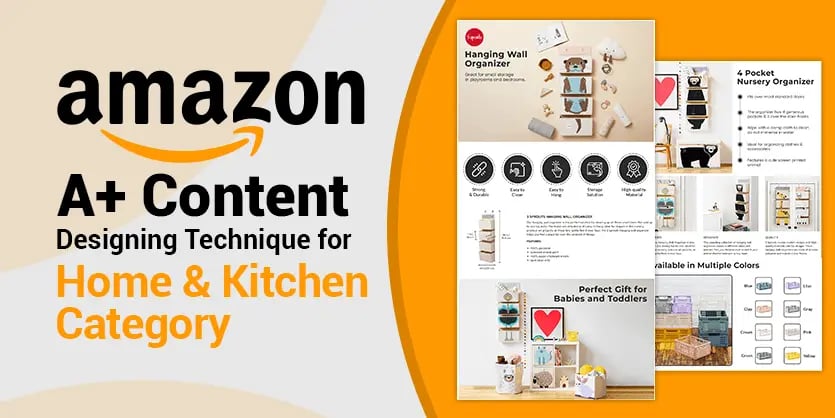
What Is Amazon A+ Content?
Amazon A+ Content (formerly Enhanced Brand Content) is a feature available to Brand Registered sellers that allows them to enhance their product detail pages with:
High-quality images
Comparison charts
Custom text layouts
Brand storytelling modules
Unlike standard bullet points and descriptions, A+ Content appears below the product description and is designed to visually guide shoppers through your product’s benefits, features, and brand values.
According to Amazon, A+ Content can increase conversion rates by 3%–10%, and in many cases, even more when optimized properly.
Why A+ Content Is About Emotion, Not Just Information
Most sellers make one critical mistake: they treat A+ Content like a technical manual. They list features, specs, and materials — but forget about how the customer feels.
Buying decisions are emotional first, logical second.
Customers ask themselves:
Will this solve my problem?
Can I trust this brand?
Will this make my life easier or better?
Great A+ Content answers these questions without directly asking them. It uses visuals, language, and structure to create reassurance, excitement, and confidence.
Step 1: Understand Your Customer’s Mindset
Before designing a single module, you must understand who your customer is and why they are buying.
Ask yourself:
What pain point brought them to Amazon?
What frustrates them about existing products?
What outcome are they hoping for?
For example:
A parent buying a baby product wants safety and trust
A fitness buyer wants results and motivation
A home organizer wants simplicity and control
Your A+ Content should feel like it was made specifically for them, not for “everyone.”
Step 2: Build a Clear Visual Hierarchy
Shoppers don’t read — they scan.
Your A+ Content should guide the eye naturally from top to bottom, using:
Large hero images
Short, bold headlines
Minimal but powerful text
Best Practices:
One idea per module
Headline first, explanation second
Avoid clutter and overcrowding
Each section should answer one key question and move the shopper closer to clicking “Add to Cart.”
Step 3: Use Images That Tell a Story
Images are the heart of A+ Content. But lifestyle images outperform plain product photos every time.
Instead of showing:
❌ A bottle on a white background
Show:
✅ A person confidently using the product in real life
High-Converting Image Types:
Before-and-after visuals
In-use lifestyle shots
Close-ups showing texture or quality
Infographics explaining benefits visually
Your images should silently say:
“This product fits perfectly into your life.”
Step 4: Turn Features Into Benefits
Customers don’t buy features — they buy outcomes.
Instead of listing:
“Made with stainless steel”
Reframe it as:
“Durable stainless steel that won’t rust, bend, or wear out over time”
A simple rule:
Feature = What it is
Benefit = Why it matters
Every text block in your A+ Content should answer:
“So what?”
Step 5: Leverage Comparison Charts to Win the Decision
One of the most powerful A+ modules is the comparison chart. This is where many purchase decisions are finalized.
A smart comparison chart:
Highlights why your product is better
Subtly shows competitors’ weaknesses
Keeps the focus on value, not price
Tips:
Compare within your own product line when possible
Use simple checkmarks and icons
Emphasize benefits customers care about most
This reduces hesitation and prevents shoppers from clicking away to competitor listings.
Step 6: Build Trust Through Transparency
Trust is currency on Amazon.
Your A+ Content should reinforce credibility by showcasing:
Quality control processes
Certifications or safety standards
Brand mission and values
Real use cases
If your product is eco-friendly, durable, or tested — show it. Trust-building elements reduce returns and increase long-term customer loyalty.
Step 7: Use Brand Storytelling to Create Connection
A+ Content is not just about the product — it’s about the brand behind it.
Tell your brand story in a simple, human way:
Why did you start?
What problem did you want to solve?
What do you stand for?
People are more likely to buy from brands they feel connected to. Even a short brand story module can make your listing feel premium and authentic.
Step 8: Optimize for Mobile Shoppers
More than 70% of Amazon shoppers browse on mobile.
If your A+ Content:
Has tiny text
Overcrowded images
Long paragraphs
…it will fail on mobile.
Mobile Optimization Tips:
Keep text short and scannable
Use large fonts in images
Avoid squeezing too much into one module
Always preview your A+ Content on mobile before publishing.
Step 9: Avoid Common A+ Content Mistakes
Many sellers invest in A+ Content but see no results because of these errors:
Using stock images that feel generic
Repeating bullet points from the description
Overloading text
Making it about the brand instead of the customer
Ignoring emotional triggers
A+ Content should complement, not duplicate, your listing.
Step 10: Measure, Improve, and Test
A+ Content is not “set and forget.”
Track:
Conversion rate changes
Session time
Return rates
If performance doesn’t improve:
Adjust headlines
Change image styles
Simplify messaging
Small tweaks can lead to big improvements over time.
Final Thoughts: A+ Content Is a Sales Asset, Not Decoration
When used correctly, Amazon A+ Content becomes your 24/7 salesperson. It educates, reassures, and persuades — all without being pushy.
The best A+ Content:
Tells a story
Triggers emotion
Builds trust
Makes the buying decision easy
In a marketplace where competition keeps rising, mastering A+ Content is no longer optional — it’s essential. Brands that invest in emotionally driven, customer-focused A+ pages don’t just get more sales — they build lasting success on Amazon.
Expertise
Your partner for Amazon growth and success.
Services
Insights
connect@amazonbigstep.com
+1 (859)4182348
© 2025. All rights reserved.